
Founding Community
Help shape KAI from the ground up
Welcome to the
You’re not just testing an app.
You’re helping build the future
of smarter cooking.
KAI learns what you have, suggests meals you’ll love, reduces food waste, and becomes smarter every time you cook. Together, we’ll make cooking better for millions of homes.
Private beta. Not on the App Store. Invitation only.
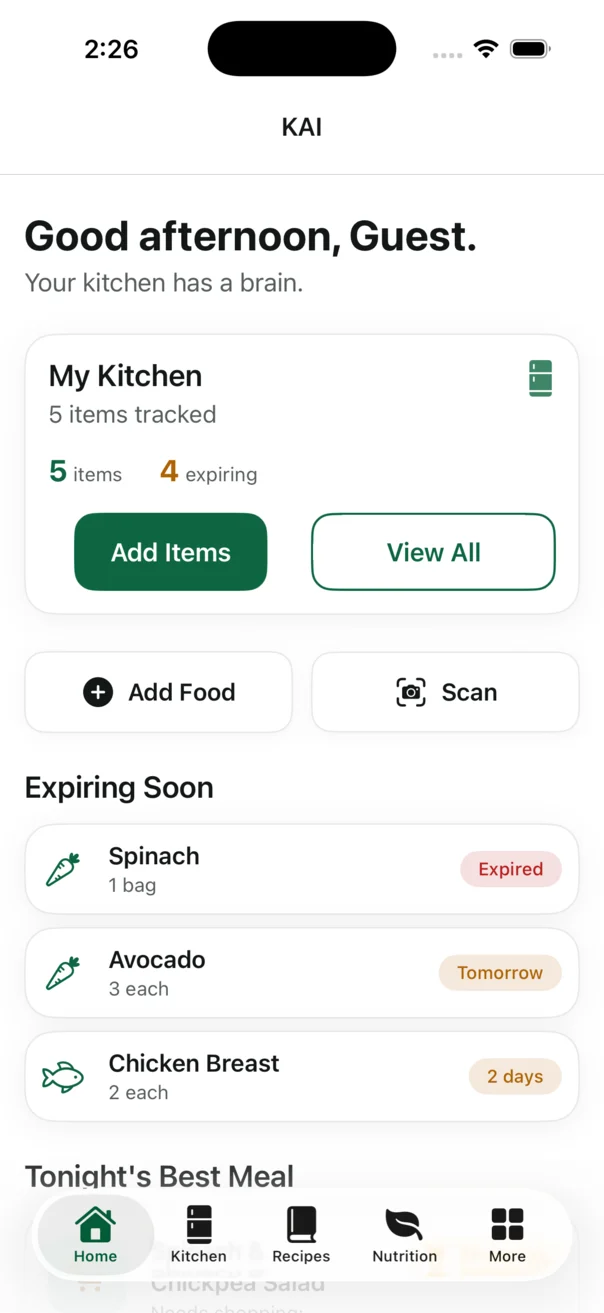
Help shape KAI from the ground up
Try new features before anyone else
Your feedback drives every improvement
We respect your data and your trust
Six simple steps
No programming knowledge is needed. Your everyday kitchen experience is exactly what KAI needs.
Check your email for your invitation to the KAI Beta.

Download TestFlight free from the App Store.
Get TestFlight
Tap “Install” in TestFlight to add KAI to your device.
Try features, cook meals, and discover what KAI can do.
Share bugs, ideas, or wins from KAI’s feedback area.
New beta builds arrive in TestFlight when they are ready.
A thoughtful private beta
What to expect
What to avoid
Need help?
Why your feedback matters
Your everyday moments—the confusing tap, the helpful suggestion, the feature you reach for twice—show us where KAI should go next.
Verified development milestones
These are completed repository milestones, not a claim that a public TestFlight release is available.
 Completed milestone
· Sprint 15L
KAI can schedule local expiration reminders from saved dates and timers that people start while cooking, with clear permission settings.
 Completed milestone
· Sprint 15K
A household-scoped inbox now surfaces supported kitchen and cooking events and routes people to the relevant KAI destination.
 Completed milestone
· Sprint 15J
KAI’s local Insights dashboard reports only what persisted purchase, kitchen-outcome, and cooking records can support.
Roadmap
The public roadmap is not published yet. We’ll share only approved plans when they are ready.
Good to know
The details that help a private beta stay safe, useful, and straightforward.
Read the full Beta Tester AgreementKAI’s first beta uses limited private email invitations. Install Apple’s free TestFlight app, open your KAI invitation on the same device, accept it, and tap Install. TestFlight displays an Update button when a new build is available.
Beta builds are unfinished. Features may change, fail, or be removed. Builds can expire, and app data may be reset as KAI evolves. Continued access is not guaranteed.
No. KAI must not be relied upon for medical, dietary, allergy, food-safety, or emergency decisions. Review ingredients, preparation, storage, and safety yourself and use qualified professional guidance when appropriate.
Feedback saved in Settings → Beta Feedback remains local in KAI and has not been sent to Berakah Labs, Inc. You may separately choose to email feedback to the KAI Beta Team. Email delivery is not guaranteed.
Only if you choose to attach one in your own email app. KAI does not upload screenshots automatically. Review every image first and remove personal, household, financial, medical, login, or other private information. We do not claim that screenshot metadata is removed.
Please do not publicly share unreleased features, screenshots, recordings, or the private invitation without permission from the KAI Beta Team.
Private invitations
KAI is not using a public TestFlight link. Internal testers use App Store Connect access; selected external testers receive a limited invitation by email when Apple testing is ready.